Instructor-created example
Animated explainer
A narration-led explainer showing how a concept can become a structured animated video. The course also demonstrates using your own voice.
Watch on YouTube (opens in a new tab)Live learning · September 2026 pilot
From an idea to a finished piece. Learn the practical workflow behind animated explainers and music-led videos, step by step with Baibhav Bajpai.
₹1,178.82 total, including ₹179.82 GST (18%).
No paid AI subscription is needed just to attend. Hands-on generation may need separate tools or credits. See what is and is not included.
One repeatable
production workflow
See the possibilities
These are instructor-created examples, not guaranteed learner outcomes. We will demonstrate the underlying process on a short project.
A narration-led explainer showing how a concept can become a structured animated video. The course also demonstrates using your own voice.
Watch on YouTube (opens in a new tab)A music-led example combining lyrics, AI-generated music, images and animation. Music generation is an optional creative route.
Watch on YouTube (opens in a new tab)Videos load only when you choose “Load YouTube video”. This connects your browser to YouTube’s privacy-enhanced player. You can also watch directly on YouTube. Video privacy details.
What you’ll learn
Across four live sessions, follow one practical, repeatable workflow for creating an AI-assisted animated video.
Four live sessions, 60-day access to your cohort’s recordings, practical workflow templates and structured questions during the classes.
Define the audience, purpose, script or lyrics, and scene structure.
Develop prompts and generate suitable images for the scenes you plan to build.
Turn selected images into animated clips. Use your own narration or explore AI-generated music.
Combine visuals, audio and text in a suitable editor. Understand tool costs, credits and retries so the next project has a realistic budget.
Creating your own finished project depends on practice, tool access and available generation credits. This is practical instruction, not a promise of income or identical results.
The four live sessions
Both cohorts cover the same learning journey. Demonstrations, decisions and guided questions—not just a tour of software menus.
Define the audience and purpose, develop a short script or lyrics, break the idea into scenes, and prepare the prompt structure.
Focus: idea → script / lyrics → scene plan
Generate and select suitable images, explore your own narration, and see the optional AI-generated music workflow.
Focus: image choices + voice or music
Convert selected images into animated clips, write motion instructions, review generations, manage retries, and choose usable outputs.
Focus: motion prompts + selecting usable clips
Bring visuals and audio together in a suitable current editor, add essential text, export the video, and review the real cost of repeating the workflow.
Focus: final edit + a sustainable next-project budget
Exact dates and timings depend on the cohort you select. All times on this page are India Standard Time (IST).
Same programme. Two schedules.
Four core sessions per learner. Choose weekday evenings or weekend mornings—not both.
Review the course and schedules below. Payment links will be enabled only after payment checks are complete.
8:00–9:00 PM IST
Wednesdays & Fridays · Four one-hour live sessions
One seat in one cohort. No recurring course charge.
10:00–11:00 AM IST
Saturdays & Sundays · Four one-hour live sessions
One seat in one cohort. No recurring course charge.
Monday, 14 September 2026 · 8:30–9:00 PM IST. Optional and recorded; additional to your four core sessions.
15 September 2026, 6:00 PM IST, or earlier if a cohort fills. At least 10 paid participants are needed in total; organiser cancellation for low enrollment means a full refund.
Maximum capacity is 25 per cohort; this website does not display a live remaining-seat count. Actual purchase availability will be checked at the verified checkout. Review the terms and refund policy before paying.
Clear before you pay
Your fee buys the teaching, included materials and replays. It does not buy subscriptions to the applications demonstrated.
No paid AI subscription is required merely to attend. You can follow the live demonstrations, ask questions and develop your project plan without purchasing a paid AI plan.
Generating your own assets may require suitable accounts, subscriptions or credits. No particular paid software bundle is compulsory, and no additional software purchase from Profitable Earth is required.
| Stage / tool | How it fits | Cost and access |
|---|---|---|
| ChatGPT | Script, lyric and visual-prompt development; image generation. | Personal access and generation limits depend on your plan. Official plans ↗ |
| Kling AI | Turning selected images into animated clips. | Own generations may need separate credits or a subscription. Official site ↗ |
| Your own voice | The default spoken-narration alternative. | No ElevenLabs or Suno subscription is needed for this audio route. Suitable recording equipment/software is still needed. |
| Suno — optional | Demonstrating a music-led video approach. | Own music generations and permitted uses depend on your access/plan. Official plans ↗ |
| Video editor | Canva is proposed; another suitable current editor may be used. | No compulsory Adobe purchase. Check paid features before using them. Canva plans ↗ |
There is no fixed all-tools cost quoted here: costs depend on the applications, plan, billing period, features and credits you choose. Check current prices, taxes, renewal terms and permitted use before subscribing. Contact us before enrollment if a hands-on budget is important to your decision.
Request a 100% refund, with no reason required, before your first core class or within 48 hours after it ends. After that, a 50% refund window remains open until 24 hours before your third scheduled core session begins. The optional welcome session does not start this clock.

Meet your instructor
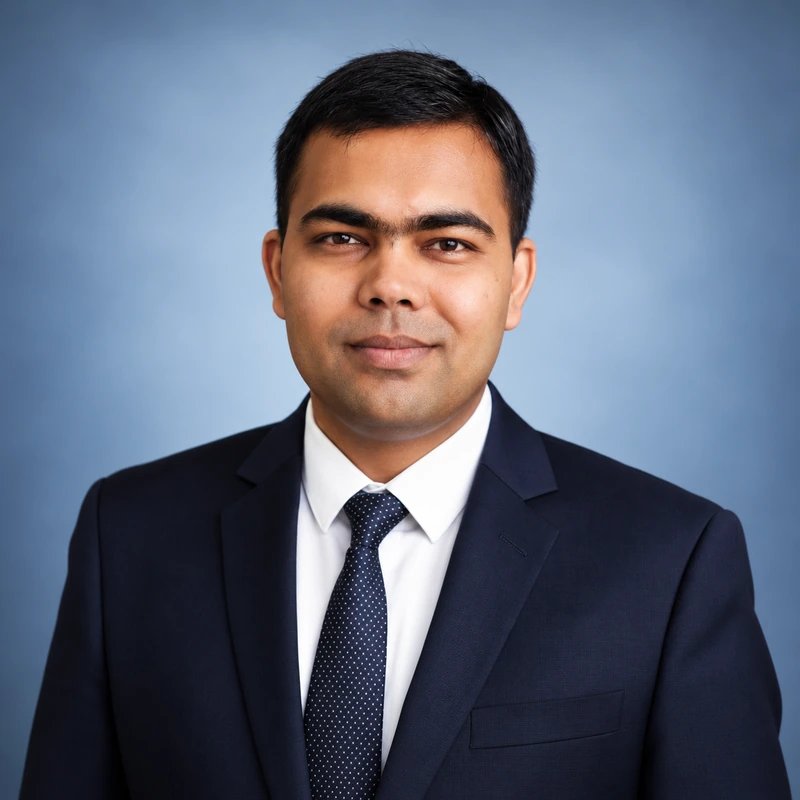
Baibhav is the founder of Profitable Earth and the creator of the example videos shown on this page. In this programme, he will demonstrate his practical AI-assisted production workflow—from planning the idea to assembling the final edit.
Understand not only what to click, but what to create, what to keep, and what another attempt will cost.
The emphasis is clarity, guided practice and responsible use of tools. No income, employment or specific production result is guaranteed.
Before you join
Still deciding? Write to contact@profitableearth.com. Please ask about costs or access before paying.
A practical start, not an exaggerated promise
Four live Hinglish sessions. Maximum 25 learners per cohort. ₹999 + GST — ₹1,178.82 total.
Choose your cohortEnrollment closes 15 September 2026 at 6:00 PM IST, or earlier if both cohorts fill.
Third-party software subscriptions and generation credits are separate.